WARNING: This guide is for instructional purposes only. I am not responsible for any damages caused by this guide. This guide may violate your ISP’s terms of service and is possibly illegal. Proceed at your own risk. I also no longer live in CenturyLink/Quantum territory.
While I now live in Verizon territory (and lack Verizon FiOS at the moment), when I lived in Seattle and got CenturyLink Fiber (now Quantum Fiber), I initially had an issue which looked like “latency spikes and packet loss”.
Little did I know that the ONT (Optical Netowrk Terminal) given, a Calix 716GE-I R2 has a hard cap of 16384 TCP sessions, not unlike AT&T Fiber/U-verse routers. Even lesser known is that it’s very easy to clone Calix ONTs with just a JTAG cable and the Calix 803G doesn’t have the issue.
CenturyLink Fiber then got rebranded as Quantum Fiber which uses SmartNIDs and DHCP, and then sold to AT&T. However, I had a CenturyLink-branded service with a Calix ONT at the time and moved eastwards before I could be switched over.
Note: This is not for AT&T Fiber itself using a Nokia ONT or BGW320/BGW620. I never had AT&T Fiber, outside of Frontier FiberOptic GPON in Connecticut for a few months which inherited 802.1X from AT&T. Check the 8311 Discord server for AT&T Fiber proper.
So you want to clone your ONT?
Pre-requisites
You need the following devices information:
- Original, ISP-provided Calix ONT or SmartNID with the ONU MAC and FSAN Serial ready
- If required, your GPON Password. CenturyLink/Quantum doesn’t use this
- Calix ONT being cloned to
- JTAG serial adapter
About the JTAG adapter, the CP2102 models are recommended. Other models have had issues with Calix’s JTAG console.
Cloning the ONT
Now for the fun part.
First off, you need to open your ONT.
For the 803G (the destination ONT), these images should be self-explanatory.
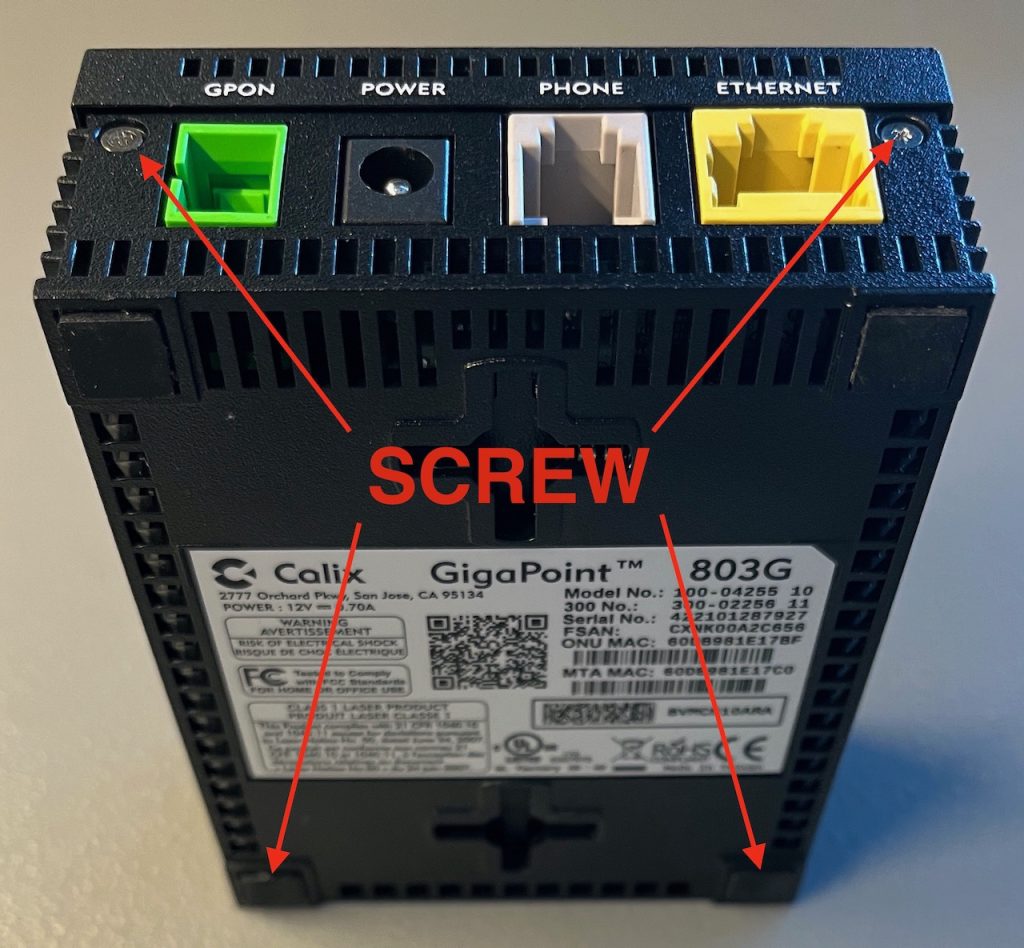
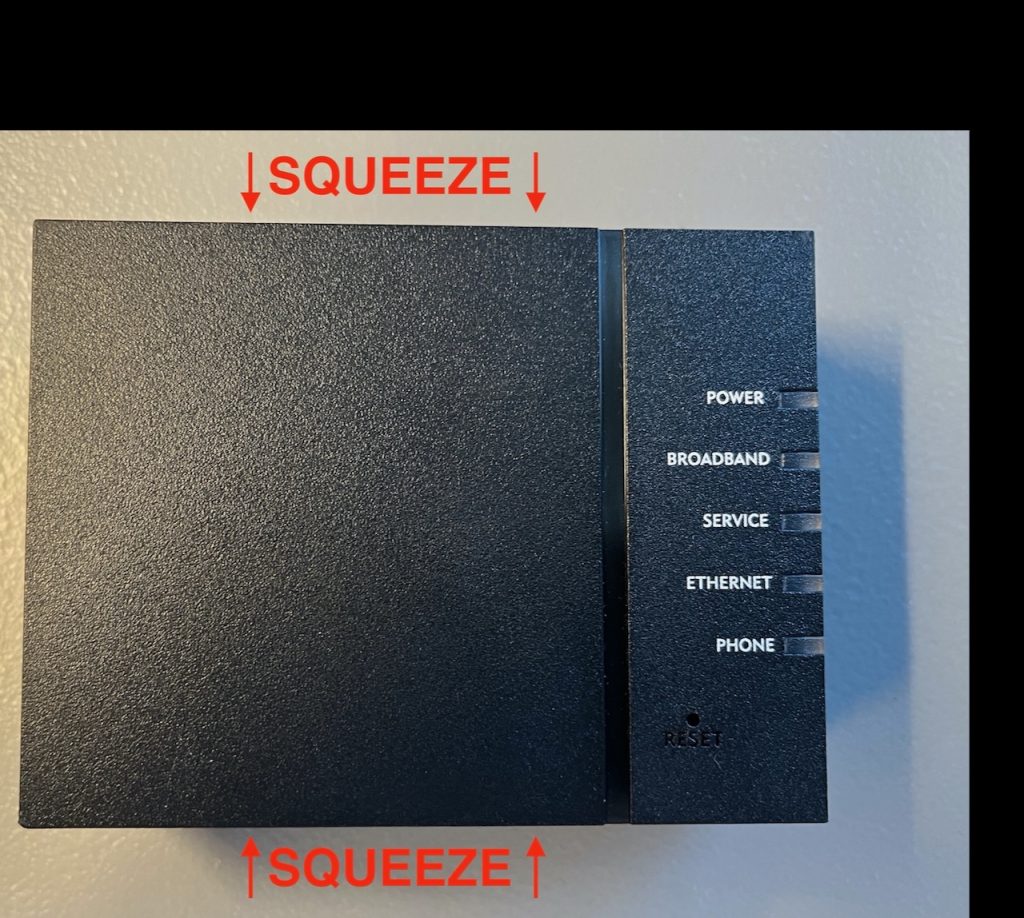
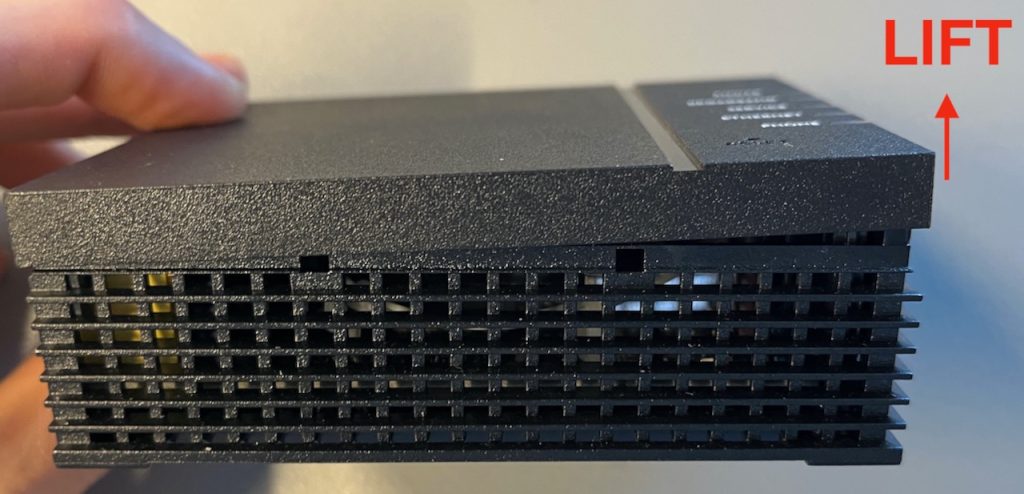
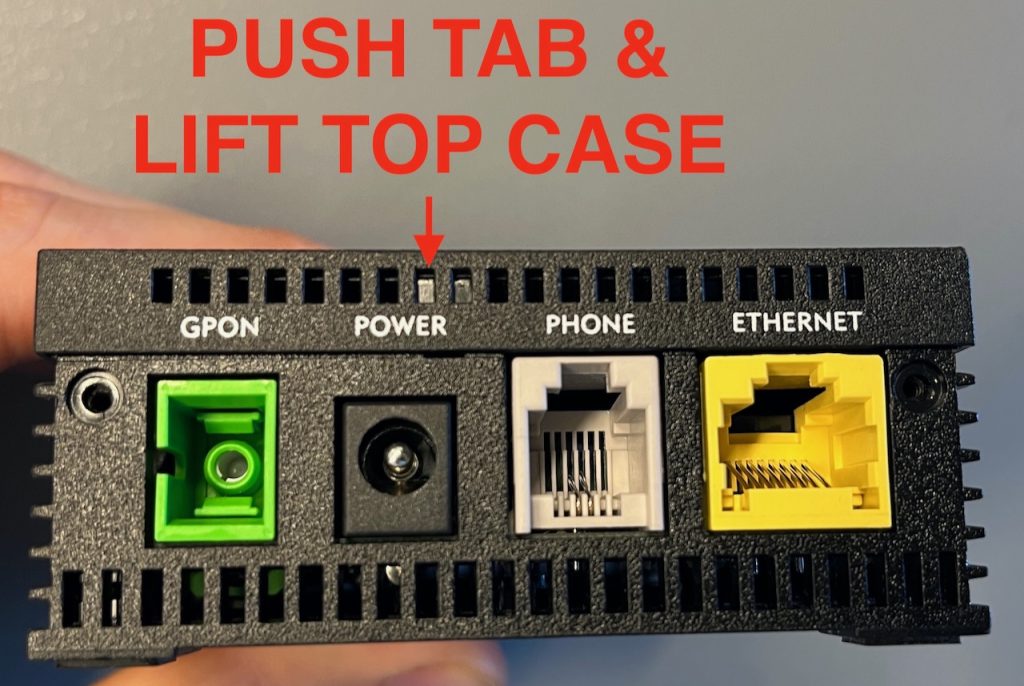
When you are inside, connect the JTAG.
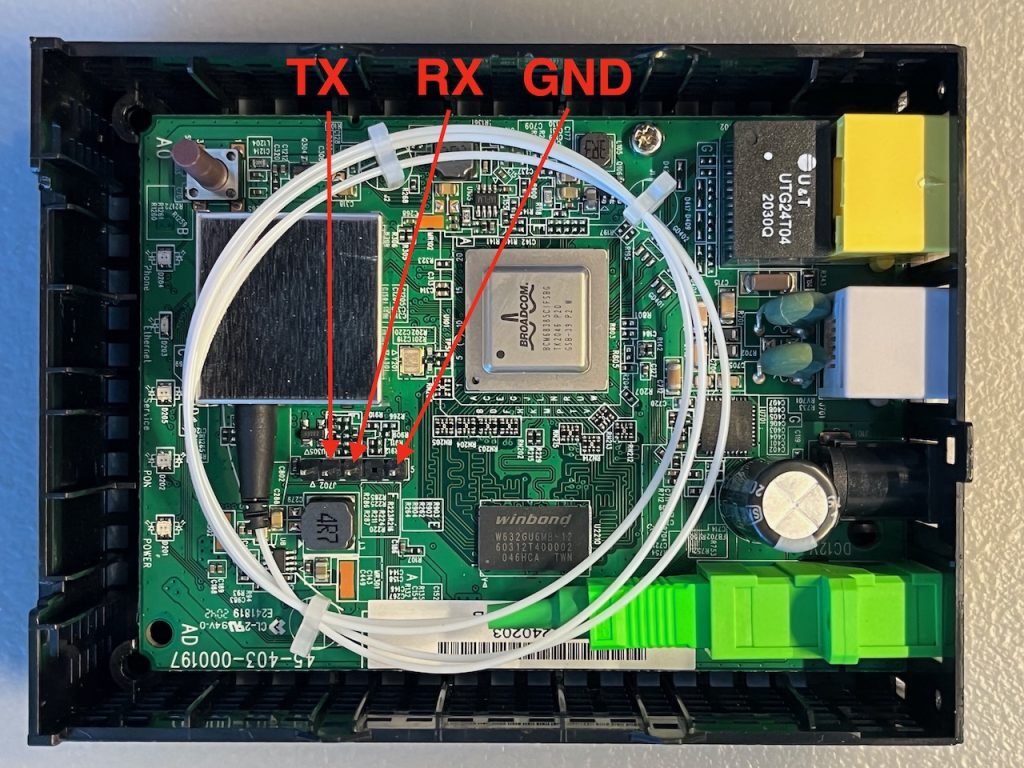
Note: The TX should go to your JTAG RX and vice-versa.
Image source: fire-foo.com.
When you connected your JTAG header pins, open a serial console (e.g. cu or PuTTY), plug in the power while hitting ESC on your keyboard repeatedly.
When you are on the CFE> prompt, type b and press enter.
Press enter for most of the values, except the Base MAC Address and GPON Serial Number which should be the ONU MAC and FSAN Serial respectively from your source ONT.
Some ISPs may need a GPON password, but CenturyLink/Quantum does not. I do now know how to get the GPON password as I was never in that scenario.
Once you are done, wait for the ONT to boot successfully, then turn off the power, close the ONT, and plug the fiber and power in place of your stock Calix ONT.
An example of a JTAG session can be seen here.
Leave a Reply